
Download Floating Music Visualizer APK – music visualizer, floating visualizer, Android music app, music effects, audio visualization, music player enhancement, visualizer for music, floating equalizer, real-time music visualizer
Overview
Floating Music Visualizer is an Android application designed to enhance the music listening experience by displaying dynamic, real-time visualizations directly on the device’s navigation or status bar. Developed by Kraph Tech, this multimedia tool falls within the Music & Radio category and is tailored for users seeking a more immersive and visually engaging way to interact with audio content. The app functions as a companion to existing music players, enabling users to view vibrant visual effects that respond to the rhythm and frequency of the music being played.
It is particularly suited for music enthusiasts, mobile content creators, and casual listeners who value aesthetic enhancements during playback. The app operates in the background while other applications are in use, allowing for continuous visual feedback even when switching between apps. Real-world usage scenarios include listening to music during commutes, while working, or during social media browsing, where the visualizer adds a layer of engagement without interrupting workflow.
The developer did not provide additional details about the company’s background or development philosophy. However, the app’s functionality suggests a focus on user-centric design and real-time audio processing. It supports integration with various music players and allows users to customize which apps trigger the visualizer, enhancing flexibility and usability across different environments.
Key Features & Capabilities
- Real-Time Audio Visualization: The app generates dynamic visual effects that respond to the audio input from the active music player, creating a synchronized experience between sound and visuals.
- Floating Display on Navigation/Status Bar: Visualizers appear as floating elements on the screen’s top or bottom edges, minimizing screen space usage while maintaining visibility.
- Customizable Visualizer Designs: Users can adjust colors, width, height, gap between bars, and transparency levels to personalize the appearance of the visualizer.
- Position and App Selection Options: The visualizer can be placed at the top, bottom, or in a custom location, and users can specify which music players and apps should activate the effect.
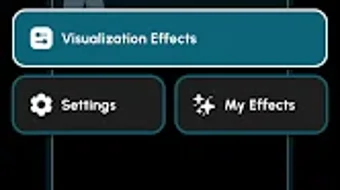
- My Effects Feature: Allows users to save and reuse their custom visualizer configurations for future playback sessions.
- Overlay Permission Integration: Enables the app to display visual elements over other running applications, ensuring the visualizer remains visible during multitasking.
These features collectively support a seamless and personalized audio-visual experience. For example, a user might create a translucent, gradient-based visualizer with wide bars and low transparency to complement ambient music while browsing social media. Another user may opt for a high-contrast, fast-reacting design for energetic tracks during workouts. The ability to restrict visualizer activation to specific apps ensures that the feature remains useful without becoming intrusive.
User Interface, Workflow & Performance
Floating Music Visualizer features a minimalistic interface focused on configuration and customization. The main screen provides access to visualizer presets, customization tools, and settings for app-specific triggers. Navigation is straightforward, with clearly labeled sections and intuitive sliders for adjusting visual parameters. The workflow is designed to be efficient, allowing users to create and apply visualizations in a few taps.
Performance details were not specified by the developer. However, the app’s lightweight nature—measuring 12.5 MB—suggests low resource consumption. The developer did not specify resource usage details, so actual CPU or RAM behavior cannot be confirmed. General software behavior patterns indicate that such visualizers typically run efficiently on modern Android devices, especially when optimized for background operation.
Stability is expected to be consistent, given the app’s focused functionality and reliance on standard Android overlay permissions. The app is designed to operate continuously while music plays, with minimal disruption to other processes. Users may experience minor delays in visual response if the device is under heavy load, but this is not unique to this application and depends on the device’s overall performance.
Compatibility & System Requirements
Floating Music Visualizer is designed for Android devices and is compatible with the latest versions of the operating system. The app has a file size of 12.5 MB, indicating a lightweight installation. However, exact system requirements were not listed by the developer.
Compatibility information was partially provided. The app requires Android OS with support for overlay permissions, which are standard on most devices released from 2018 onward. Users should ensure their device allows third-party apps to display content over other apps, as this is essential for the visualizer’s functionality.
Hardware requirements were not specified. The app’s performance is expected to be stable on mid-range and high-end Android devices. For optimal results, users are advised to use devices with responsive touchscreens and adequate processing power to handle real-time visual rendering.
Pros and Cons
Pros
- Lightweight installation at just 12.5 MB
- Real-time visual response to music playback
- Floating display on navigation or status bar without blocking content
- Highly customizable visualizer settings
- Supports multiple music players and app-specific activation
- Free to download and use with no in-app purchases
Cons
- Requires overlay permissions, which may raise privacy concerns for some users
- Customization options may be overwhelming for beginners
- Performance may vary on older or low-end Android devices
- Visualizer visibility depends on device screen layout and navigation bar design
- Developer did not provide detailed technical documentation or support channels
FAQ Section
Is Floating Music Visualizer compatible with all Android devices?
The app is designed for Android OS and requires overlay permissions to function. Compatibility may vary depending on device manufacturer settings and Android version. Devices released from 2018 onward are expected to support the required features.
Does the app require internet access?
No, the app does not require internet access to operate. All visual processing occurs locally on the device, making it suitable for offline use.
Can I use the visualizer with any music player?
Yes, the app supports integration with various music players. Users can select their preferred player from the app’s settings and configure the visualizer to activate during playback.
Is the app safe to install and use?
Yes, the app is free and does not contain known malware. However, it requires several permissions, including access to music playback data and overlay display, which are necessary for its core functionality.
How often are updates released?
Updates are released periodically to improve stability and add new features. The latest version is 1.2.0, released on April 15, 2024.
Final Thoughts
Floating Music Visualizer delivers a compelling blend of aesthetics and functionality for Android users who enjoy enriching their music experience with dynamic visuals. Its ability to display responsive, customizable visualizers on the navigation or status bar sets it apart from static or full-screen alternatives. The app’s lightweight design, free pricing model, and support for multiple music players make it accessible and practical for a wide range of users.
While the lack of detailed technical documentation and support channels may be a drawback for advanced users, the app’s intuitive interface and robust customization options ensure a smooth experience for most. It is particularly beneficial for music lovers, content creators, and anyone seeking a visually engaging way to enjoy audio on their mobile device.
Download Floating Music Visualizer now





.png)

